Tag Archive for: Reporting

5 Powerful Features of Locus Environmental Software

Maybe you are a user of Locus’ Environmental Software (EIM) and are looking to get more out of our product. Or perhaps you are using another company’s software platform and looking to make a switch to Locus’ award-winning solution. Either way, there are some features that you may not know exist, as Locus software is always evolving by adding more functionality for a range of customer needs. Here are five features of our environmental software that you may not know about:

1. APIs for Queries

Locus expanded the EIM application programming interface (API) to support running any EIM Expert Query. Using a drag and drop interface, an EIM user can create an Expert Query to construct a custom SQL query that returns data from any EIM data table. The user can then call the Expert Query through the API from a web browser or any application that can consume a REST API. The API returns the results in JSON format for download or use in another program. EIM power users will find the expanded API extremely useful for generating custom data reports and for bringing EIM data into other applications.

Locus EIM API

2. Scheduled Queries for Expert Query Tool

The Expert Query Builder lets users schedule their custom queries to run at given times with output provided in an FTP folder or email attachment. Users can view generated files through the scheduler in a log grid, and configure notifications when queries are complete. Users can scheduled queries to run on a daily, weekly, monthly, or yearly basis, or to run after an electronic data deliverable (EDD) of a specified format is loaded to EIM. Best of all, these queries can be instantly ran and configured from the dashboard.

Scheduled Queries in Locus EIM

Scheduled Queries in Locus EIM

3. Chart Formatting

Multiple charts can be created in EIM at one time. Charts can then be formatted using the Format tab. Formatting can include the ability to add milestone lines and shaded date ranges for specific dates on the x axis. The user can also change font, legend location, line colors, marker sizes and types, date formats, legend text, axis labels, grid line intervals or background colors. In addition, users can choose to display lab qualifiers next to non-detects, show non-detects as white filled points, show results next to data points, add footnotes, change the y-axis to log scale, and more. All of the format options can be saved as a chart style set and applied to sets of charts when they are created.

Chart Formatting in Locus EIM

Chart Formatting in Locus EIM

4. Quick Search

To help customers find the correct EIM menu function, Locus added a search box at the top right of EIM. The search box returns any menu items that match the user’s entered search term.

Locus EIM Quick Search

Locus EIM Quick Search

5. Data Callouts in Locus’ Premium GIS Software

When the user runs the template for a specific set of locations, EIM displays the callouts in Locus’ premium GIS software, GIS+, as a set of draggable boxes. The user can finalize the callouts in the GIS+ print view and then send the resulting map to a printer or export the map to a PDF file.

Locus GIS+ Data Callouts

Locus GIS+ Data Callouts


Top 10 Enhancements to Locus Environmental Software in 2020

Let’s look back on the most exciting new features and changes made in EIM, Locus’ environmental data management software, during 2020!

5 Ways To Save With Locus

For over 20 years, Locus environmental software customers have saved enormously on their setup and and data entry costs. This infographic highlights the aggregate savings of all users based on conservative estimates of time and cost for different aspects related to our software.

5-ways-to-save


Unified EHS Platform: Enter Once, Report to Many

Is your organization still using multiple software systems for EHS&S when you can (and should) be using one robust and unified platform? Unify your compliance, sustainability, water, air, and environmental data with Locus’ cloud platform for EHS&S. It’s easier, cheaper, and more efficient.

Unified EHS Platform - Infographic

With Locus Platform, you can easily and securely feed all of your different EHS data sources to the cloud via a wide array of import options. You will then be able to analyze and report to virtually any regulatory agency, meeting any specific requirements they may have. We believe in making EHS compliance simpler.


Simple and reliable tank emissions calculation tool for accurate reports

EPA announced that it will no longer support its TANKS 4.09D emission calculation tool. Have you been researching various software options in the market? Look no further, Locus has a reliable, easy to use, scalable replacement Tanks Emission application for you!

Infographic | Locus Platform Tank Emissions application


Simplify your EPA fenceline regulatory reporting

Locus handles all the EPA required environmental data collected at your refinery giving you a simple solution for all your data management and reporting needs.

5 tools to get more EHS tasks done with less staff

EHS software can be a boon or a bane of your life at work. Here are the 5 time- saving tools Locus’s EIM provides that can be the difference between the former versus the latter.


1. Mobile

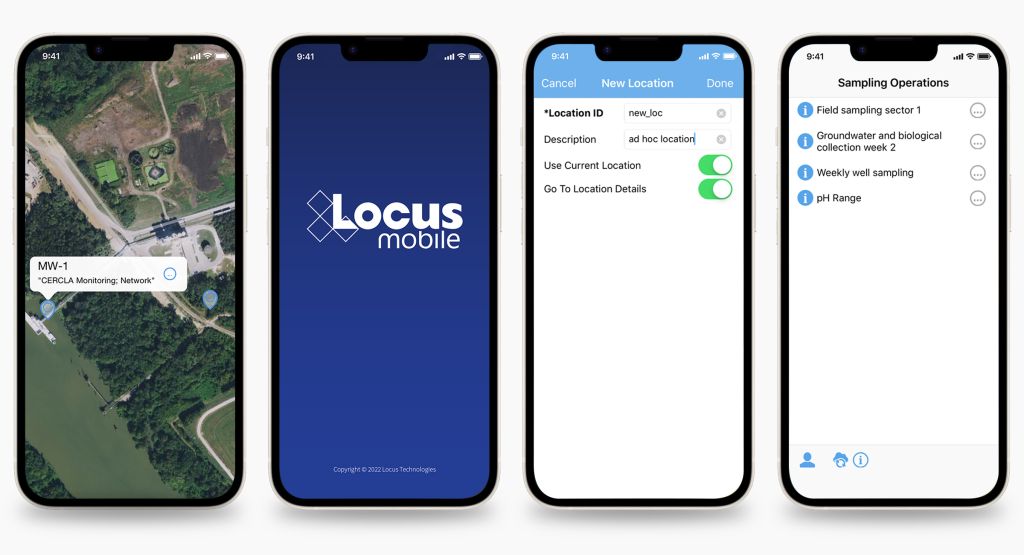
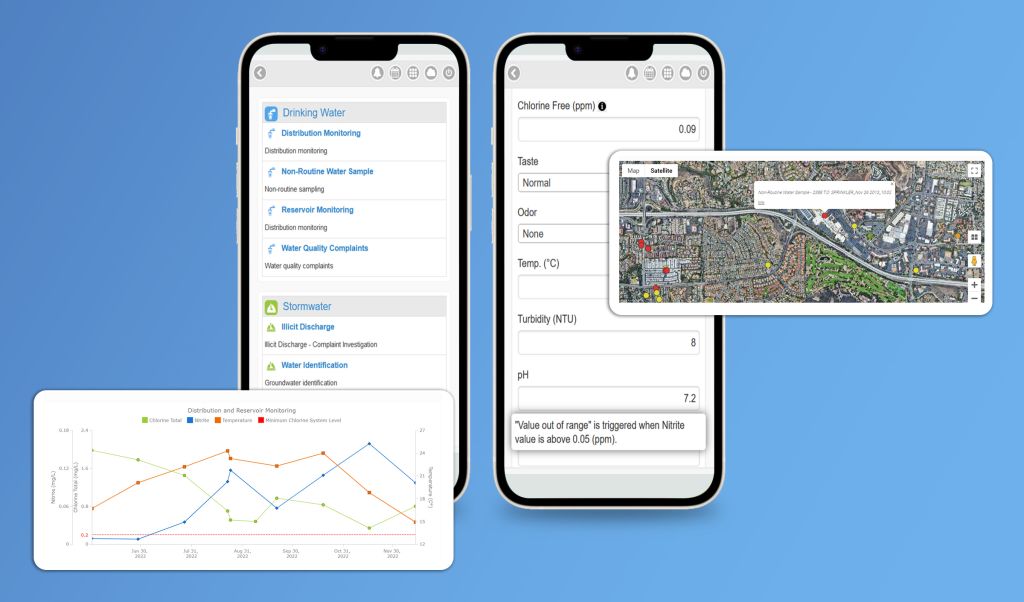
Do you enter field data onto a paper form, and then have to manually type it into a spreadsheet or database when you get back to the office?  Or have you ever been in the field and entered data into your remote mobile device and have lost the data due to the lack of internet signal? Locus’ Mobile application allows you to sync with your server to create data collection profiles on a mobile device, whether it’s your phone or a tablet. This application will allow you to click through and enter data on the device and store the data, even when you are offline. As a result, data only need to be entered once on your device, and then they are seamlessly loaded into your  cloud-hosted solution.

Using Mobile you have data entry directly on the mobile device, with immediate data availability on the cloud when you reach an internet signal. Other advantages include location metadata and mapping integration, bar-code/or code scanning, voice recognition and form customization. If you would like to know more, check out the Top 10 cool features in Locus Mobile.

Locus mobile environmental field data collection app for iOS

2. EDD Loader

With EIM’s electronic data deliverables (EDD) loader, you can upload and validate several thousand records within a minute. Laboratories are not required to use the same reporting format, yet the results will still end up at the same place in the database where sample data came from. Locus EIM also has a special lab interface so that your labs (with your permission) can upload their own EDDs. You no longer need to spend time receiving and processing EDD files from your lab. The labs simply log in directly, upload your reports, and they are immediately available to you.

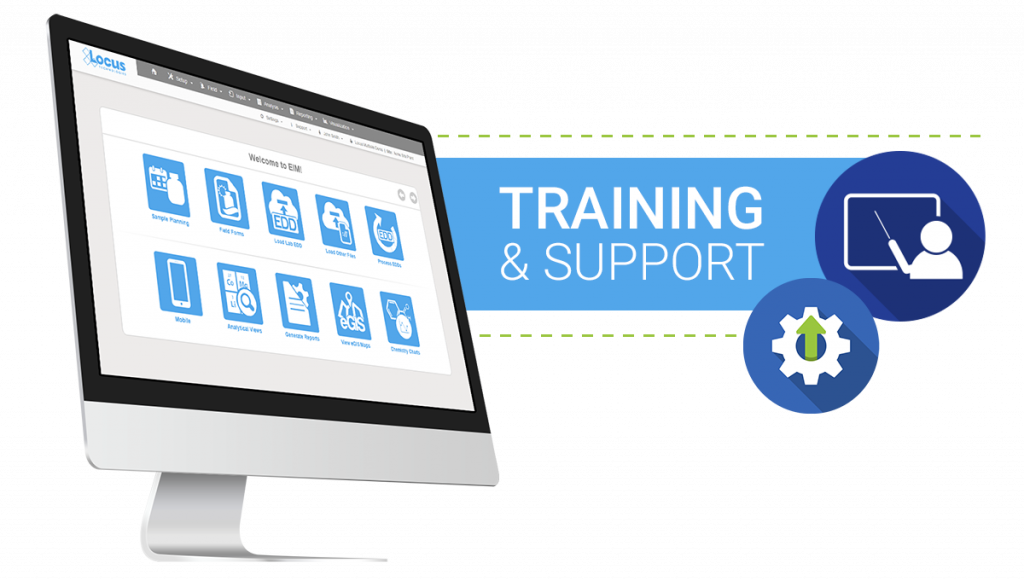
EIM provides you access to popular features such as a planning module, forms for entering field data, a utility to upload EDDs, built-in mapping tools, and an extensive reporting and plotting module. It also has a calendar module for viewing information on sampling events and uploaded EDDs, automated exceedance notifications, and sophisticated statistical evaluation tools designed specifically for environmental data.

Locus EIM - EDD Loader


3. Sample planning

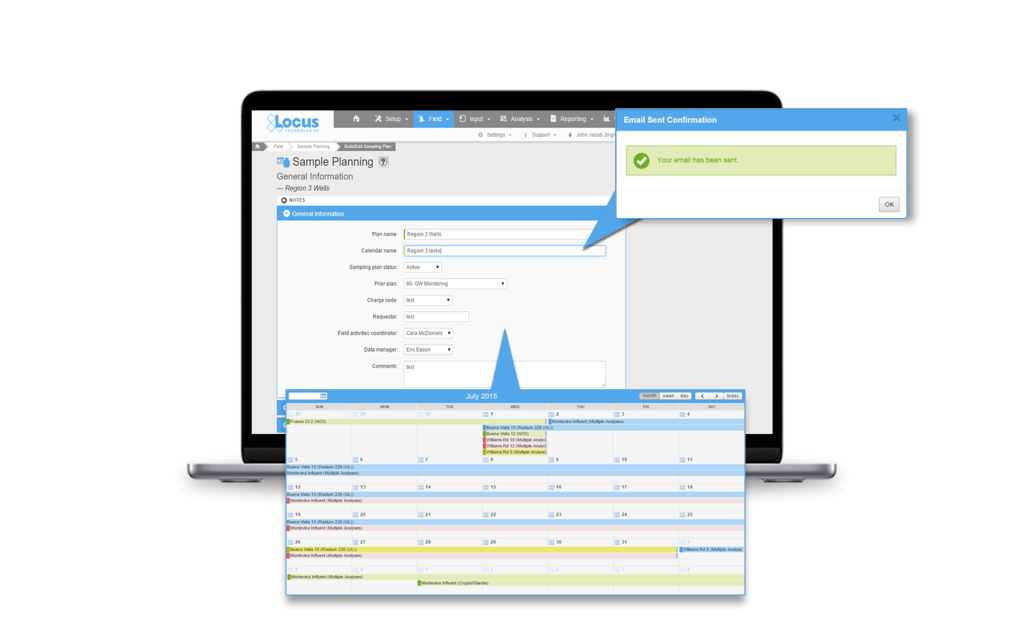
Setting up and implementing a complex sampling plan can be a time-consuming effort. Depending on the purpose and extent of the sampling plan, you may have dozens of analyses to complete at varying frequencies and locations.  You may also have multiple compliance programs with overlapping requirements.  EIM’s sample planning can save you valuable time and effort by assembling your requirements into a concise calendar, preprinting all of your chain of custody records and bottle labels, and tracking the collection of samples from the field to the lab.  As an added bonus, the automation of this process ensures you’ll never miss another required sample.

EIM screenshot of sample planning edit form with email notification and calendars popouts


4. Discharge Monitoring Reports

Locus’ EIM DMR tool solves the problem of time-consuming, labor-intensive, and expensive manual report generation by automating the data assembly, calculations, and formatting of Discharge Monitoring Reports.  Depending on the type of discharge and the regulatory jurisdiction, you may be required to report information such as analytical chemistry of pollutants, flow velocity, total maximum daily load, and other parameters. For companies that report from 100 to 1,000 facilities, producing a DMR also becomes a major expense.

Thanks to Locus’ DMR reporting tool, companies can generate DMRs within minutes with validated data in approved formats, with all of the calculations completed according to regulatory requirements. Companies can set up EIM for its permitted facilities and realize immediate cost and time savings during each reporting period.

DMR builder and report in EIM


5. Formatted Data Tables

For most environmental database systems, getting the right data out is just the first step in assembling your reports.  Comprehensive systems rarely store data in a format that is ready to submit to a regulatory agency or other party.  Typically, you have a labor-intensive process of restructuring, labelling, footnoting, formatting, and paginating the data into tables that can be readily interpreted. EIM’s formatted reporting tools allow you to set up any number of table formats with specific grouping, sorting, footnotes, headers, and other data processing steps.  Then you just select your data range, pick your format, and the table is ready to download or print directly from your web browser.  And if you make a mistake, the report can be instantly regenerated without any effort.

Locus EIM - Formatted Reports