


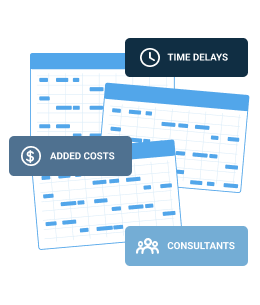
Traditional Customization
→ Requires professional services
→ Code changes, release cycles
→ Change takes weeks or months
01 // Configuration Workbench
If you can build a spreadsheet, you can build or modify a Locus app.
The people who understand your compliance requirements best are your EHS professionals, not developers. Locus Platform is built on that premise. Power users configure forms, workflows, dashboards, validation rules, and reports using graphical tools that require no programming knowledge. For organizations with unique requirements, the Locus Configuration Workbench lets your team create entirely new applications on the platform in minutes, inheriting the same security, data model, and integrations as every Locus app.

02 // Make Locus Software Your Own
Customization, in most enterprise software contexts, means engaging a vendor's professional services team, writing code, and waiting weeks or months for a release. When the business requirement changes — a new permit condition, a revised inspection protocol, a new regulatory framework — the customization process starts again. Your EHS&S program is waiting on a software release cycle.
Locus Configuration Workbench is fundamentally different. Our platform empowers its power users — people with spreadsheet skills and domain knowledge, not programming backgrounds — to make changes themselves. New forms, new workflows, new validation rules, new dashboards, and new applications go live immediately, without code changes, without vendor involvement, and without waiting for a release. The business change and the software change happen on the same schedule. Find out why this distinction matters:
Locus Configurability →
Locus Delivery Models →
The distinction matters well beyond implementation. Organizations can adapt without accumulating one-off software versions that become costly to maintain or difficult to upgrade. They gain flexibility while preserving platform consistency, security, and scalability.
→ Requires professional services
→ Code changes, release cycles
→ Change takes weeks or months
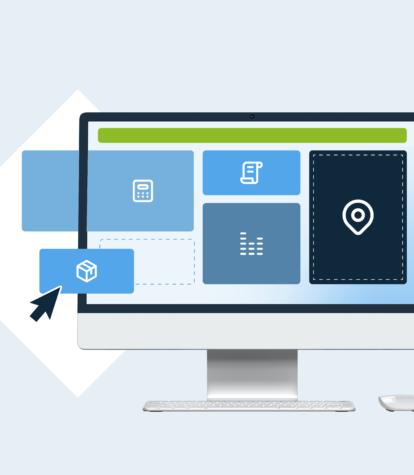
→ Done by your EHS power users
→ No code, no release cycle
→ Change takes minutes
04 // Locus Configuration Workbench Benefits



05 // Key Capabilities

The Locus Configuration Workbench is the administrative environment where all platform configuration lives — forms, workflows, rules, dashboards, validation settings, user roles, and notification preferences. It is the single place where power users manage the platform's behavior across all Locus apps their organization uses. Updates made in the Workbench deploy instantly — there is no staging environment to promote through, no release to schedule, and no downtime to coordinate. Changes made by one administrator are immediately available to all users on the platform.
Locus's form builder lets power users create simple or complex data entry forms using a graphical interface. Fields can be configured with data types, required status, default values, dropdown lists, and lookup tables. Conditional logic — showing or hiding fields based on prior responses, flagging entries that exceed configured thresholds, or requiring additional fields when a user selects a specific option — is set through a visual rule editor without writing a formula or a line of code. Forms built here work identically on desktop and mobile.
Mobile & Field Access

Beyond form logic, the Locus rules engine is configured entirely through visual tools. Power users define rules that govern what happens when data meets certain conditions (e.g. a value exceeds a permit threshold, a task deadline passes without completion, a required field is left blank on submission). These rules trigger alerts, open corrective action tasks, route forms to reviewers, or flag records for validation review. Every rule update takes effect immediately across all users and all connected data sources.
WORKFLOW AUTOMATION & RULESMulti-step compliance workflows — permit renewal processes, corrective action sequences, inspection approval chains, incident investigation procedures — are built in Locus through a visual workflow designer. Users define the steps, assign roles or individuals to each step, set deadlines and escalation conditions, and connect form-based data collection to specific workflow stages. Workflows can span multiple teams, multiple facilities, and multiple Locus apps without requiring any code connections between them.
WORKFLOW AUTOMATION & RULES

KPI dashboards, trend charts, compliance status tiles, and tabular data views are all configurable through Locus's graphical dashboard tools. Power users select data sources, choose chart types, set time period filters, and arrange panel layouts without writing queries or engaging a BI developer. For organizations that need formal regulatory reports, Locus includes a report configuration tool for defining output formats, calculated fields, and data groupings. Custom report formats can be created to meet any regulatory or internal requirement.
Analytics, Reporting & DashboardsFor compliance requirements that fall outside any existing Locus app, the Locus Configuration Workbench lets your team create entirely new applications on the platform without programming skills. If you know how to lay out slides, draw a flowchart, or build a spreadsheet with formulas, you have the skills to build an app. New apps created in the Configuration Workbench run on the same platform architecture as every Locus app — they inherit the same security model, the same data structure, the same mobile compatibility, and the same reporting and integration capabilities. One Locus customer built a custom app to track daily particulate matter from a poultry operation. Another built a vapor intrusion screening tool. The Configuration Workbench is not a sandbox; it is a production-grade application development environment for domain experts.


Data quality rules in Locus are configured by power users, not hardcoded by the vendor. Your team defines what valid data looks like for each parameter, each facility, and each regulatory context: acceptable value ranges, required unit formats, detection limit conditions, and permit-specific thresholds. When incoming data violates a configured rule — whether it arrives via EDD, API, mobile form, or IoT sensor — the platform flags it immediately. Changing a rule when a permit condition changes takes minutes and applies to all future imports.
Data Quality & Validation06 // Feature Highlights

07 // FAQ
EHS power users can configure forms, conditional logic, data validation rules, workflows, KPI dashboards, report formats, user roles, notification rules, and alert thresholds — all through graphical tools in the Locus Configuration Workbench. For requirements beyond existing Locus apps, the workbench lets power users create entirely new applications on the platform without programming skills. All configuration changes deploy immediately with no release cycle, no staging environment, and no IT involvement required.
The Locus Configuration Workbench is a graphical application development environment for EHS domain experts with no programming background. If you can build a spreadsheet with formulas, draw a flowchart, or lay out a slide deck, you can build a Locus app. Apps created in the Configuration Workbench in App Builder mode run on the same platform architecture as every Locus app — inheriting the same security model, data structure, mobile compatibility, and integration capabilities. Locus customers have used the App Builder to create programs for tracking poultry particulate matter, vapor intrusion screening, and other unique compliance requirements.
Traditional EHS software customization requires professional services engagement, code changes, and release cycles that can take weeks or months. In Locus, the same outcomes — new forms, new workflows, new validation rules, new apps — are achieved by your EHS power users through visual tools, with changes deploying immediately. When a permit condition changes or a new regulation requires a new data field, your team makes the change, not a vendor development queue. For the full strategic comparison, see the Locus Configurability pillar page.
Yes. Every app created in the Locus Configuration Workbench’s App Builder mode runs on the Locus Platform architecture and automatically inherits the platform's role-based access controls, encryption, audit trail, data validation layer, mobile compatibility, and API integration model. There is no separate security configuration required for a new app, and no risk that a custom app operates outside the platform's governance controls. This is what distinguishes building on Locus from building a standalone tool or spreadsheet system.
Yes. Configurations made in the Locus Configuration Workbench apply across the facilities and user groups you define during setup. A form updated to reflect a new permit condition can be deployed to all relevant facilities instantly. A workflow change that affects a multi-facility inspection program updates across all locations simultaneously. Facility-specific configurations are also supported — the platform lets you define which configurations apply globally and which are scoped to specific sites, programs, or user roles.
Simple applications can be built and deployed in as little as ten minutes using the Locus App Builder's drag-and-drop component library. More complex apps with sophisticated form logic, multi-step workflows, and custom reporting views take longer to design — but the design process is measured in hours rather than weeks, and testing and deployment happen within the platform rather than through a separate release process. The App Builder is intended for production applications, not prototypes, so what your team builds is what goes live.
08 // Software Demonstration

09 // Recommended Reading